
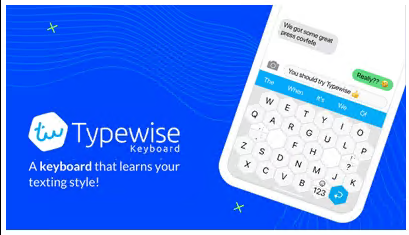
Typewise Offline Keyboard V4.4.38
Requirements: Android 6.0+ | Size: 69.1 MB
This app is the offline version of the popular, privacy-friendly "Typewise Keyboard" app. This offline version adds an additional layer of security. Note: online features will not be available in this app.
This app also includes Typewise PRO features
- Type in multiple languages without switching
- Get personalized word suggestions
- Additional 16 awesome themes
- Create your own text replacements
- Turn on key vibration and set the perfect intensity
- Turn on tablet mode
- Change emoji style
- Change swiping behavior
- Change space button sensitivity
- Automatically go back to letters after a space
- Flick down to undo auto corrections
- Did you know?
- 80% fewer typos
A recent study with 37,000 participants showed that on current keyboards 1 out of 5 words contains typos. With Typewise you finally get rid of these ARRGGHH-moments. Thanks to the hexagon layout, keys are 70% larger and much easier to hit. This reduces typos by 80%.
- Intuitive gestures
Swipe up to capitalize a letter, swipe left to delete or swipe right to restore. It's as simple as that.
- Smart autocorrect
Stop getting annoyed by wrong autocorrections or senseless predictions. Typewise learns what you type and helps you write that perfect sentence.
- 100% privacy
What you write is personal. That's why the keyboard runs locally on your device and none of your typing data is transmitted to the cloud.
- No permissions
Other custom keyboards require dozens of permissions to access your calendar, contacts, files, GPS location and much more. Typewise Offline only needs permissions to support key vibration and subscriptions.
- Speaks your languages
Having to switch between different languages is cumbersome. With Typewise you can write in all your languages at once. Choose from 40+ languages and type in the accents you really need. Typewise supports
- English (United States, United Kingdom, Australia, Canada)
- Afrikaans
- Albanian
- Basque
- Breton
- Catalan
- Croatian
- Czech
- Danish
- Dutch (Belgium, Netherlands)
- Estonian
- Filipino
- Finnish
- French (France, Canada, Switzerland)
- Galician
- German (Austria, Germany, Switzerland)
- Hungarian
- Hinglish
- Icelandic
- Indonesian
- Irish
- Italian
- Latvian
- Lithuanian
- Malaysian
- Norwegian
- Polish
- Portuguese (Portugal, Brazil)
- Romanian
- Serbian
- Slovak
- Slovene
- Spanish
- Swedish
- Swiss German
- Turkish
Typewise is optimized for smartphones with Android 6 (Marshmallow), 7 (Nougat), 8 (Oreo), 9 (Pie) and 10.
What's New- Fix for the Android 15 and 16 bug where gap at the bottom of the keyboard is broken on some devices.
- Fix for the margin between navigation bar and the keyboard size changing after a few keyboard switches.
Paid Info● Supported Languages: af, am, ar, as, az, be, bg, bn, bs, ca, cs, da, de, el, en-AU, en-CA, en-GB , en-IN, en-XC, es, es-419, es-US, et, eu, fa, fi, fr, fr-CA, gl, gu, hi, hr, hu, hy, in, is, it, iw, ja, ka, kk, km, kn, ko, ky, lo, lt, lv, mk, ml, mn, mr, ms, my, nb, ne, nl, or, pa, pl, pt, pt-BR, pt-PT, ro, ru, si, sk, sl, sq, sr, sr-Latn, sv, sw, ta, te, th, tl, tr, uk, ur, uz, vi, zh-CN, zh-HK, zh-TW, zu;
● Supported Cpu Architecture: Armeabi-v7a, Arm64-v8a, X86, X86_64;
● Supported Screen Dpi: Ldpi, Mdpi, Tvdpi, Hdpi, Xhdpi, Xxhdpi, Xxxhdpi.
● Untouch Paid Apk With Original Hash Signature.
● Certificate MD5 Digest: 7aa132ec7bcc380c425a4d19690f41bd.
.Apks Bundle InstallationSAI Instructions:[No Root]
1. Download And Install Latest SAI App (Split APK Installer) -
2. Download this .apks Archive App;
3. Install And Open SAI / Choose "Install APKs" Button / Find And Select Downloaded .apks Archive App;
4. Wait For Install And Done. Enjoy!.
Lucky Patcher Instructions:[No Root]
1. Download And Install Latest Lucky Patcher App;
2. Install And Open Lucky Patcher And Choose 'Rebuild & Install';
3. Find And Select Downloaded This .apks Archive App;
4. Wait For Install And Done. Enjoy!.
PS: Make Sure After Open SAI or Lucky Patcher You Allowed Storage Permission And Install Unknown Apps Permission!
Download file Typewise_Offline_v4.4.38.apks
Download Typewise_Offline_v4.4.38.apks fast and securerapidgator.net
NitroFlare - Upload Files
Upload your files at maximum speed! You can use this service to share your creations, use as a virtual backup and share your files with your friends! You can upload up to 10 GB files, for free!nitroflare.com